Makey Makey
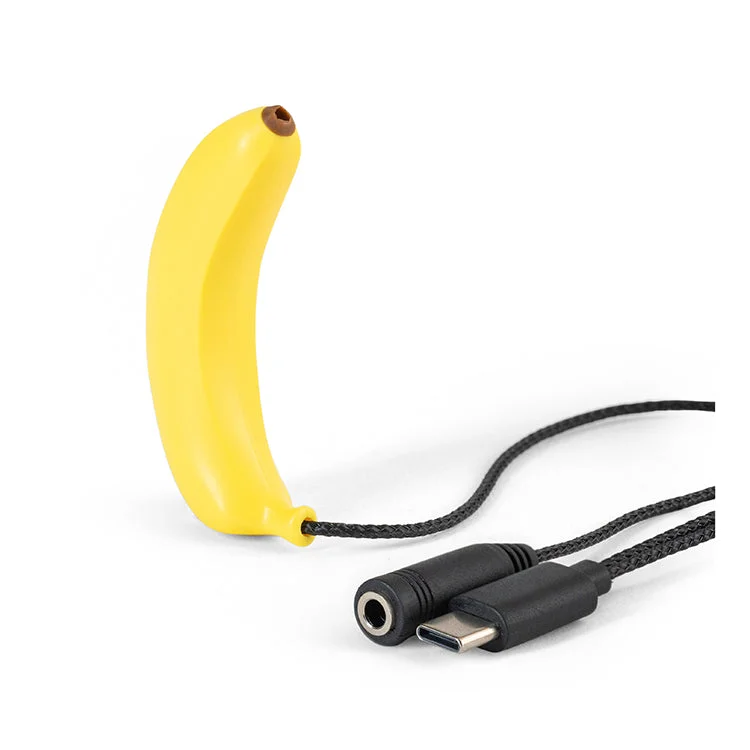
Clip a banana to this little circuit board, plug it into your computer, and the banana becomes a key. Play-Doh game controllers, pencil-drawn pianos, water drums. It's the weirdest keyboard ever made.

By Maya Okafor
· 5 min read
If you buy through our links, we may earn a small commission. It doesn't change our verdict. How affiliate links work

Expert review
“Makey Makey Turns Bananas Into Computer Keys”
So… what is this thing?
It's a circuit board that lets you swap your computer's keys for… anything. Bananas. Play-Doh. A bowl of water. Your friend's hand.
Makey Makey is a small USB controller that your computer recognises as a keyboard and mouse. Using alligator clips, you connect everyday objects to it, and those objects become buttons. Touch the banana: the computer thinks you pressed the space bar. Touch the Play-Doh: it's the up arrow. Draw a line with a pencil: that's a piano key.
The kit includes the Makey Makey board, a USB cable, seven alligator clips, six connecting wires and instructions. Vat19 sells it for $51.99 and says it's been bought more than 2,300 times. It's recommended for ages 8 and up.
Makey Makey calls itself an "incomplete invention kit": the missing ingredient is your project.
How does it actually work?
The trick is a tiny electrical circuit that runs through you.
- Plug the Makey Makey into your computer with the USB cable. It shows up as a keyboard, so there's nothing to install on Windows or Mac. Vat19's FAQ says it's also been tested on Chrome OS and Ubuntu.
- Clip an object to one of the inputs (for example, the space bar input). It needs to be something that conducts a little electricity.
- Ground yourself. Hold the "earth" alligator clip in one hand, or use an antistatic wrist strap (not included).
- Touch the object. Your body completes the circuit, the board detects it, and the computer receives a key press.
What conducts? Almost anything slightly damp or metallic: fruit and vegetables, coins, aluminium foil, tap water, Play-Doh, pencil graphite, cutlery and skin. Plastic, dry paper and wood generally won't work.
Any program that uses the keyboard can be controlled this way: online piano apps, simple games, Scratch projects, even presentation slides. The magic is that you build the controller.
Why does this exist?
Makey Makey was created to break the idea that computers have to be controlled with plastic buttons. A keyboard is rigid; the real world is full of interesting things to touch.
That makes it brilliant for learning. Kids (and adults) discover how circuits work, what conducts electricity and how code reacts to input, all by playing. It's become a classroom favourite for exactly that reason: it turns abstract electronics into something you can hold, poke and laugh at.

Who on earth needs this?
Good fit:
- Kids aged 8+ who love building and experimenting, with an adult nearby.
- Teachers and STEM clubs. It's a memorable way to teach circuits and coding.
- Makers and artists building interactive installations, from musical stairs to talking posters.
- Families looking for a rainy-day project that mixes crafts and tech.
Project ideas to start with: a banana piano (several bananas, one online piano), a Play-Doh game controller shaped like arrow keys, a pencil-drawn instrument using thick graphite lines on paper, a water drum kit made of bowls, or an interactive poster with foil patches that play recordings when touched.
Skip it if you want a finished gadget that does one thing out of the box, a proper music controller (a MIDI keyboard is better for serious music), or anything that doesn't involve a computer.
The catch
- It's open-ended. The kit gives you the bridge between objects and a computer, not a finished project. Some people find that thrilling; others want step-by-step instructions for a single result.
- You need a computer and some software, like a web app or Scratch.
- Objects not included. Raid the kitchen and the craft drawer.
- No review summary was visible on Vat19's page, just the purchase count.
- $51.99 is a fair price for an educational kit, but more than a toy.
For curious minds, it's one of the best "aha!" gadgets around: weird, educational, and it makes a banana feel like a piece of technology. That's why we called it genius.

The Good and the Weird
The Good
- Turns everyday conductive objects into computer keys
- Works as a USB keyboard with no software install
- Includes board, cable, 7 clips, 6 wires and instructions
- Brilliant for learning circuits and coding
- Endless project possibilities
The Weird
- Needs a computer and some setup
- Projects and objects not included
- Open-ended design may frustrate some buyers
- No review summary on the seller's page
Weirdness Meter
Usefulness Meter
Our verdict
Verdict: Genius
“A genuinely strange but useful invention kit: it turns ordinary objects into computer controls and makes electronics feel like a game. Buy it for experimenting, not for a finished appliance.”
Maya Okafor
Community ratings
How weird and useful is it to you?
0 votes
Weirdness: No votes yet
Usefulness: No votes yet
Where to get it
Makey Makey
by Makey Makey
- Sold by
- Official store
- Price
- $51.99
Price as of . Prices change — check the store for the current price.
We may earn a small commission. How this works
Questions people ask
It plugs into a computer as a keyboard. You clip conductive objects to its inputs, hold the earth clip, and touching the object completes a circuit through your body, which sends a key press.
Anything slightly conductive: fruit, vegetables, coins, foil, water, Play-Doh, pencil graphite, cutlery and skin.
Windows and Mac out of the box. Vat19's FAQ says Chrome OS and Ubuntu have also been tested.
Ages 8 and up, ideally with an adult nearby.